
Table of Contents
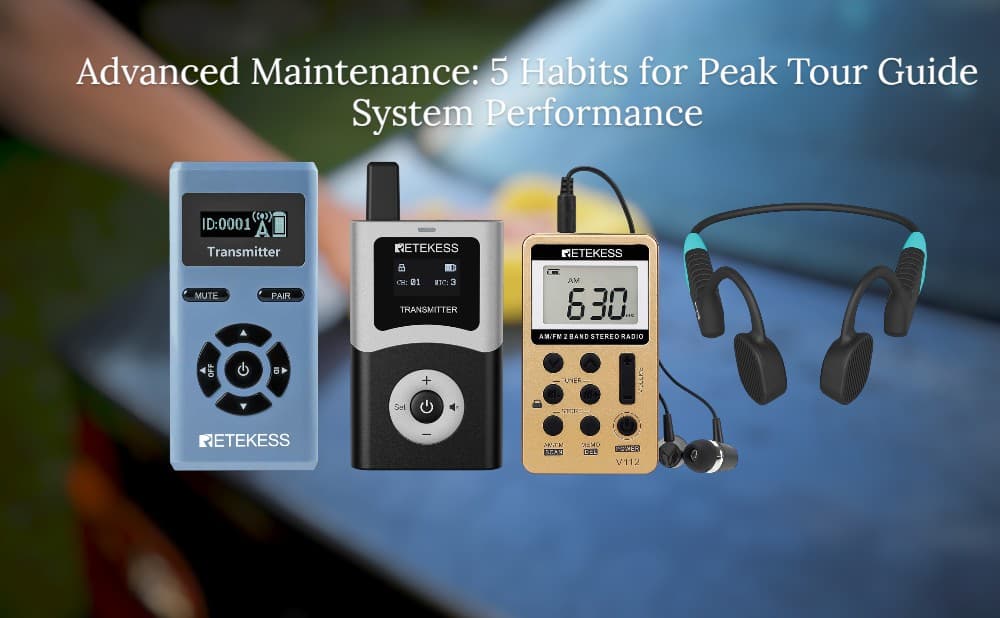
Advanced Maintenance: 5 Habits for Peak Tour Guide System Performance
- Retekess
- Feb 24, 2026
In professional tour guiding, reliability is everything. Going beyond basic cleaning, a proactive maintenance routine can extend the lifespan of your tour guide system, ensure crystal-clear audio, and enhance your professional image in the eyes of your clients. Here are five practical habits to help your tour guide system stay in top shape, day after day.
Habit 1: Battery Health & Cycling
-
Why it matters: Battery performance directly determines how long you can guide without interruptions.
-
How to do it:
-
Regularly cycle your batteries: fully charge, drain, and recharge. Perform this calibration every 2–3 months to reset the power gauge, especially for devices showing signs of aging.
-
Avoid deep discharges and storing devices with critically low or full charge for extended periods. Try to keep battery levels between 20–80%.
-
Use manufacturer-certified chargers and cables. Inspect batteries for swelling or overheating and replace them immediately if found.
-
-
Pro Tip: For longer tours, always have spare batteries or a quick-swap charging station ready.
Habit 2: Port & Connector Cleaning
-
Why it matters: Dirty contact points can lead to charging failures, poor communication, or audio dropouts.
-
How to do it:
-
Power down devices before cleaning. Use a clean microfiber cloth to remove loose dust.
-
Clean charging contacts, jacks, and connectors with 70% isopropyl alcohol or a slightly damp cloth, being careful to prevent liquid from entering openings.
-
Use a soft-bristled brush to dislodge debris from ports and grilles. Never force connectors in or out.
-
Inspect rubber seals, gaskets, and protective covers; replace worn covers to keep dust out.
-
Schedule a deep clean quarterly and a quick wipe-down after daily use.
-
-
Pro Tip: Keep spare cleaning supplies and microfiber cloths in your toolkit for on-the-go maintenance.
Habit 3: Audio Component Care
-
Why it matters: Headphones and microphones are the direct window through which guests experience your voice. Any distortion, static, or volume imbalance ruins the immersive experience.
-
How to do it:
-
Headphone Check: Weekly, test all headphones with a test audio track (including voice and various frequencies) to check for channel imbalance, distortion, or intermittent sound. Isolate and repair or discard faulty units immediately.
-
Microphone Cleaning & Calibration: Regularly check the microphone windscreen for dirt and blockages, and gently clean the pickup with a soft brush. Test microphone sensitivity to ensure clear transmission at normal speaking volume.
-
Cable & Plug Inspection: Pay close attention to the base of audio plugs and cable ends. Gently bend cables to check for static. Use velcro ties for storage to prevent internal wire fatigue and breakage.
-
Earpad & Eartip Replacement: Foam earpads are consumables; replace them every 3–6 months to ensure comfort and a good seal. Keep a variety of eartip sizes on hand for guests.
-
-
Pro Tip: Set up a "problem device" bin. Immediately place any headset with audio issues into it after a tour to prevent it from being accidentally given to the next guest.
Habit 4: Performance Testing & Calibration
-
Why it matters: Consistent sound quality and reliable pairing enhance the guest experience.
-
How to do it:
-
Conduct a brief pre-tour check: confirm each receiver is paired to the correct transmitter, test audio routing, and verify volume levels.
-
Perform range tests in environments similar to your actual tours (indoors, outdoors, in crowds) to note any interference or dropout zones.
-
Calibrate microphone gain, headphone volume, and noise-cancellation settings to ensure clear, balanced output across all units.
-
Keep a simple performance log after each shift: battery levels, connection stability, and any anomalies.
-
When problems arise, diagnose whether they are hardware failures, interference, or content-related, and act accordingly.
-
-
Pro Tip: Create a standardized pre-tour checklist for your team to follow daily.
Habit 5: Hygiene, Storage & Handling
-
Why it matters: Clean, organized equipment projects a professional image and ensures durability.
-
How to do it:
-
Clean headsets, earpads, and cases with an appropriate disinfectant after each use, following safety guidelines.
-
Store devices in protective cases or on a charging dock when not in use. Label cases to prevent mixing between guides.
-
Where possible, use disposable earpad covers or personal pouch kits to ensure hygiene across different tours.
-
Keep cable organizers, spare batteries, and cleaning supplies neatly arranged for quick access.
-
Schedule regular maintenance days to inspect cables, housings, and straps for wear and tear.
-
-
Pro Tip: Teach your team a consistent, efficient workflow for donning and doffing equipment to minimize wear and tear and boost professionalism.
Conclusion:
By adopting these five habits—focusing on battery health, port cleaning, audio care, performance checks, and hygiene-oriented storage—you will keep your tour guide system reliable, presentable, and always ready to deliver an exceptional touring experience.
Leave a Reply



![[18th Anniversary] 18 Years of Echoing Excellence: Making Communication Easier, Connecting Trust Beyond Borders](https://res.retekess.com/z_file/20260716/retekess-brand-story-making-communication-easier_20260716151044_7682.jpg)
![[18 Years in Wireless Communication] Silent Disco Systems Anniversary Celebration: Top-Selling Headphones & Event Mechanics Revealed!](https://res.retekess.com/z_file/20260713/18-years-in-wireless-communication-silent-disco-systems-anniversary-celebration_20260713175011_5749.webp)
![[Anniversary Carnival] Ding-dong! 18th Anniversary Mega Sale on Guest Paging & Calling Systems: Full Reveal of 12+ Products & Promo Rules!](https://res.retekess.com/z_file/20260713/18th-anniversary-mega-sale-on-guest-paging-calling-systems_20260713175257_0295.webp)
![[Retekess 18th Anniversary Teaser] Tour Guide System Exclusive Perks: Sneak Peek at Event Dates & Mechanics!](https://res.retekess.com/z_file/20260713/retekess-18th-anniversary-tour-guide-system-exclusive-perks--2-_20260713180135_6435.webp)
Follow Us
Pay With


 Google
 Amazon
Comments (0)