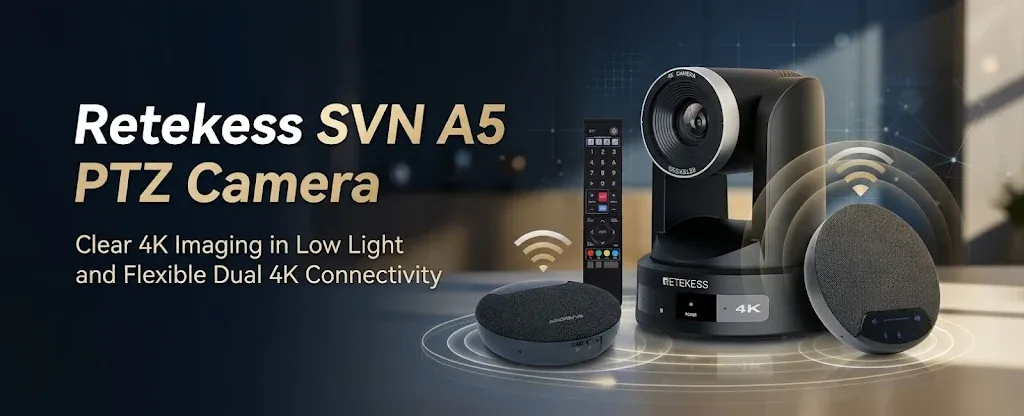
A professional video setup requires more than high resolution. Whether you're hosting a business meeting, recording a church service, delivering a training session, or live streaming an event, two things matter: clear video quality in different lighting conditions and reliable connectivity with your existing equipment.
The Retekess SVN A5 4K PTZ Camera addresses both needs with advanced low-light imaging technology and simultaneous 4K video output through HDMI 2.0 and USB 3.0. These features help create a more flexible and efficient video production experience across different professional environments.
Have you ever noticed that video footage becomes grainy, blurry, or loses detail when the room lights are dimmed? This is a common challenge in conference rooms, churches, auditoriums, and other indoor environments where lighting conditions are not always ideal.
The Retekess SVN A5 is designed to handle challenging lighting conditions with:
0.1 Lux Minimum Illumination (Color Mode): Supports color imaging in very low-light environments.
≥52 dB Signal-to-Noise Ratio (SNR): Helps maintain a cleaner image with reduced visual noise.
2D + 3D Digital Noise Reduction: Reduces image noise through spatial and temporal processing, helping improve overall video clarity.
Together, these technologies help the SVN A5 capture more natural-looking color footage while reducing distracting grain and noise.
How Does It Help in Real-World Applications?
Dimly Lit Conference Rooms
During presentations, meeting room lights are often dimmed to make projected slides easier to see. The SVN A5 helps maintain color video capture of speakers and participants, allowing remote attendees to follow the discussion.
Church Services and Religious Events
Churches often use soft or subdued lighting to create a comfortable atmosphere. With low-light color imaging and digital noise reduction, the SVN A5 helps capture pastors, speakers, and important moments without relying entirely on bright additional lighting.
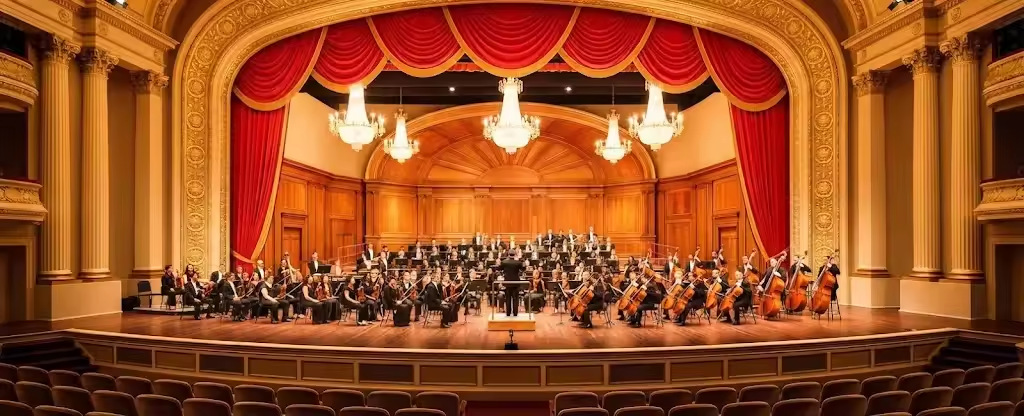
Auditoriums and Indoor Events
Lighting can vary between the stage and audience areas. The camera's low-light imaging capabilities help preserve useful visual information when recording presentations, performances, and other indoor events.
The result? More flexible recording in challenging lighting conditions and less need to compromise the venue's lighting setup for video capture.
A professional video setup often involves multiple devices. You may need to display a live camera feed on a large screen, send video to a production switcher, and connect the same camera to a computer for online meetings or streaming.
Switching between connections can make the workflow more complicated.
The SVN A5 simplifies this process by supporting simultaneous 4K video output through HDMI 2.0 and USB 3.0, offering two flexible connection options for different production needs.
HDMI 2.0: Connect to Professional Video Equipment
The HDMI 2.0 output makes it convenient to connect the SVN A5 to compatible TVs, monitors, projectors, video switchers, and other professional video equipment.
Practical applications include:

Large-Screen Presentations: Display live camera footage on TVs, monitors, or projection systems during conferences and events.
Multi-Camera Live Production: Send the camera feed to an HDMI-compatible video switcher for multi-camera production.
Professional Recording and Streaming: Integrate the camera into existing video production workflows and compatible recording systems.
For example, during a large church service or corporate event, the SVN A5 can send its 4K video feed to a video switcher, which can then distribute the footage to venue displays or a live streaming system.
USB 3.0: Simplify Computer-Based Video Conferencing
USB 3.0 provides a convenient way to connect the SVN A5 directly to a computer, making it suitable for computer-based video conferencing and streaming workflows.
Practical applications include:
Online Meetings: Use the camera with compatible video conferencing platforms such as Zoom and Microsoft Teams.
Remote Training: Deliver clearer video for online classes, employee training, and presentations.
Computer-Based Live Streaming: Connect the camera to compatible streaming software for online broadcasts.
For example, in a corporate meeting room, simply connect the SVN A5 to a computer via USB 3.0 and use it as a video source in compatible conferencing software. This makes it easier to bring professional PTZ camera capabilities into everyday online meetings.
The real advantage of simultaneous HDMI 2.0 and USB 3.0 output is that you don't have to choose between professional video equipment and computer-based applications.
You can connect the HDMI output to a video switcher or display system while connecting USB 3.0 to a computer for online meetings or streaming, allowing the camera to serve different purposes within the same setup.
Choosing a PTZ camera isn't just about resolution. It's about how well the camera performs in real environments and how easily it integrates into your existing equipment.
With 0.1 Lux color imaging, ≥52 dB SNR, 2D + 3D digital noise reduction, and simultaneous 4K output via HDMI 2.0 and USB 3.0, the Retekess SVN A5 4K PTZ Camera brings together image quality and connection flexibility.
Whether you're setting up a corporate conference room, recording church services, managing online training, or building a professional live streaming system, the SVN A5 helps make video capture clearer and workflows more convenient.

Explore the Retekess SVN A5 and discover a more flexible approach to professional 4K video production.







 Google
 Amazon