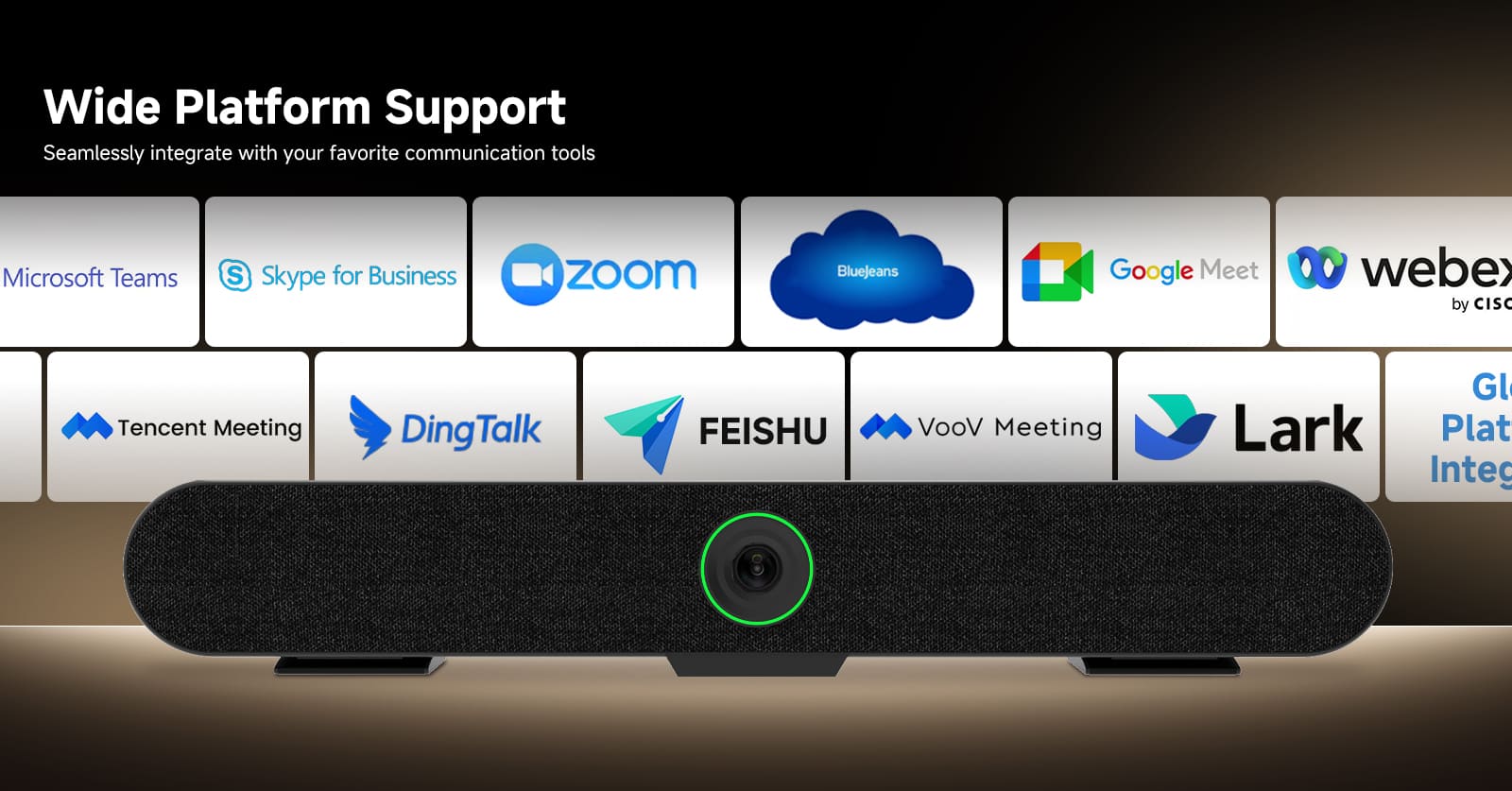
As hybrid work becomes the new standard, businesses are no longer satisfied with basic webcams and laptop microphones. A professional meeting room requires a complete audio and video solution that allows in-room participants and remote attendees to communicate naturally and clearly.
For medium-sized meeting rooms designed for 8 to 16 people, a 4K AI video conference system provides the ideal balance between image quality, intelligent tracking, audio clarity, and flexible installation.
By combining a high-resolution AI camera, built-in microphones, wireless expansion microphones, and BYOM connectivity, businesses can create a complete conference room experience without complicated installation or expensive customized systems.
Medium meeting rooms often create unique communication challenges:
A professional SVN A3 4K AI conference camera system solves these problems by combining intelligent video technology and advanced audio processing in one integrated solution.
Whether your team is hosting:
a dedicated conference room system ensures everyone can be seen and heard clearly.
The size of a meeting room directly affects equipment selection.
A small webcam may work well for a 2-4 person discussion, but it is not designed for larger groups where participants are spread around the table.
This 4K AI video conference system is optimized for:
✅ Medium conference rooms
✅ Meeting spaces with 8-16 participants
✅ Hybrid business collaboration
✅ Professional presentations and discussions
The camera captures a wider view of the room, while advanced audio technology ensures voices from different seating positions remain clear.
Instead of asking participants to move closer to the camera or repeat themselves, the system creates a more natural meeting experience.
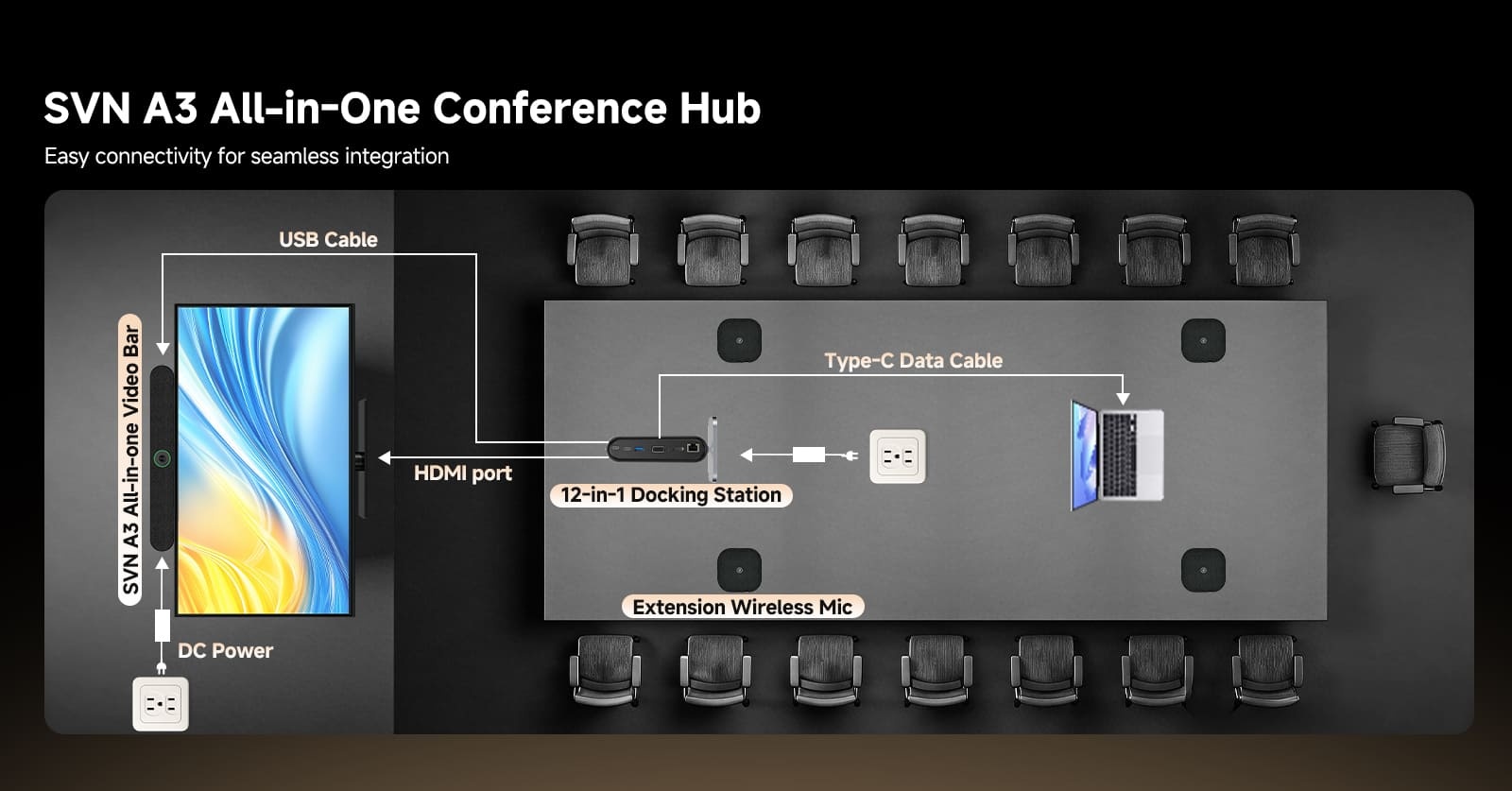
Bring Your Own Meeting (BYOM): Connect Your Way
Modern companies use different collaboration platforms depending on their workflow:
A major challenge for meeting rooms is compatibility.
The BYOM (Bring Your Own Meeting) solution allows users to connect their own laptop and start meetings using their preferred platform.
With plug-and-play connectivity:
No complicated configuration.
No dedicated conference computer required.
This makes the meeting room easier for employees, guests, and customers to use.
A professional meeting room often requires more than just a camera.
This system supports expansion with additional components, including:
12-in-1 Expansion Dock
The 12-in-1 docking station helps simplify device connections by providing multiple ports for:
It reduces cable clutter and creates a cleaner meeting environment.
Four Wireless Microphone Expansion System
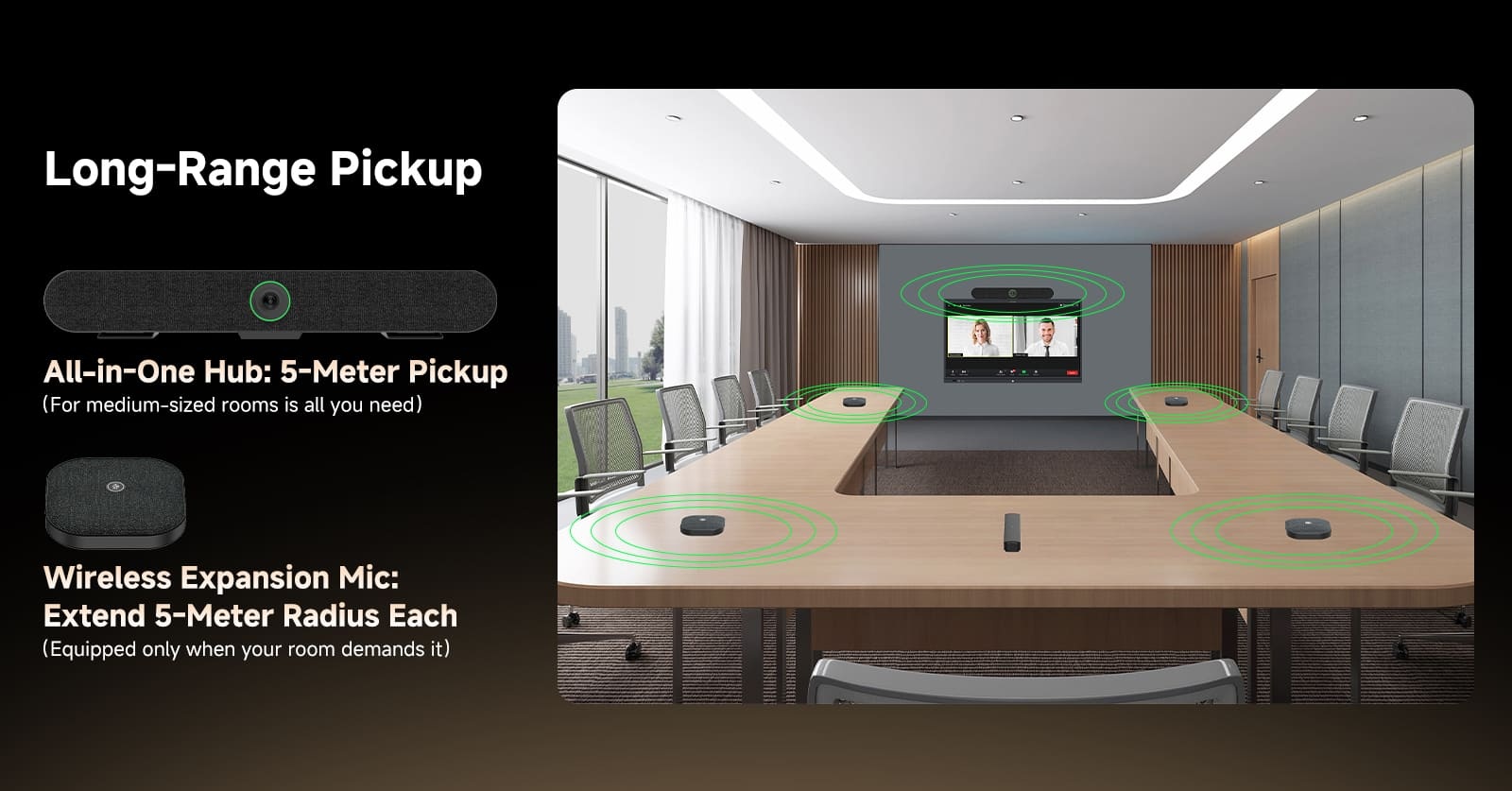
For larger meeting tables or rooms requiring wider voice coverage, the system can be paired with four wireless microphones.
This creates a scalable audio solution:
Built-in microphones + wireless expansion microphones
allow participants across the entire table to communicate naturally.
Whether someone is sitting at the front, side, or end of the conference table, their voice can be captured clearly.
Great video quality is only part of a successful online meeting.
Poor audio is one of the biggest reasons meetings become inefficient.
This AI conference camera integrates:
Six Built-In Microphones
The camera unit includes six microphones designed to capture voices from multiple directions.
Benefits:
AI Noise Reduction
Modern offices contain many unwanted sounds:
AI noise reduction technology helps identify and reduce unnecessary background sounds while keeping human voices clear.
Acoustic Echo Cancellation (AEC)
Echo is a common problem in video conferences.
For example:
A remote participant speaks → the conference room speaker plays the audio → the microphone picks it up again → an echo occurs.
Acoustic Echo Cancellation prevents this feedback loop and creates smoother conversations.
Low-Distortion Audio Processing
Clear communication requires more than volume.
Low-distortion audio processing helps maintain:
Participants can focus on the conversation instead of struggling with unclear audio.
To simplify daily use, the camera uses different LED colors to clearly show device status.
Green Light: Standby Mode
When the indicator is green:
Blue Light: Camera Active
When the blue indicator appears:
This allows users to quickly confirm whether the camera is operating.
Red Light: Microphone Muted
The red indicator means:
This helps prevent accidental audio transmission during private discussions.
White Light: Wireless Microphones Connected
The white indicator shows:
Users can immediately confirm the expansion microphone status before starting a meeting.
Managing multiple meeting devices can sometimes become complicated.
This system simplifies microphone control with intelligent power management.
When four wireless microphones are connected:
This prevents unnecessary battery consumption after meetings.
If wireless microphones are not connected:
This helps extend battery life and reduces maintenance.
Meeting rooms often have different layouts, and cable length can become a challenge.
This system includes:
2-Meter HDMI Cable
Provides flexible display connection options.
5-Meter USB 3.0 Cable
Allows users to position the camera and connect devices without being restricted by laptop location.
Whether the meeting table is large or the display is mounted farther away, the extended cables provide more installation flexibility.
A professional meeting room is not only about having a camera.
It requires a complete ecosystem:
Video
✔ 4K ultra-high-definition image
✔ AI intelligent camera technology
✔ Privacy protection design
Audio
✔ Six built-in microphones
✔ AI noise reduction
✔ Echo cancellation
✔ Wireless microphone expansion
Connectivity
✔ BYOM plug-and-play
✔ USB 3.0 connection
✔ HDMI display connection
✔ Expansion dock support
Together, these features create a meeting environment where technology works naturally in the background.
For:
Clear communication improves decision-making efficiency.
For:
The wide audio coverage ensures instructors and participants can interact smoothly.
For:
Teachers and students can communicate more naturally.
For:
A reliable conference system creates a more professional communication experience.
For medium-sized meeting rooms, choosing the right conference equipment can significantly improve collaboration efficiency.
A SVN A3 4K AI video conference system designed for 8-16 people combines:
It transforms a traditional meeting room into a modern hybrid collaboration space where every participant can communicate clearly, regardless of location.
Whether your company is upgrading an existing conference room or building a new hybrid workspace, an intelligent all-in-one video conference solution provides a reliable foundation for more productive meetings.





![[18th Anniversary] 18 Years of Echoing Excellence: Making Communication Easier, Connecting Trust Beyond Borders](https://res.retekess.com/z_file/20260716/retekess-brand-story-making-communication-easier_20260716151044_7682.jpg)
![[18 Years in Wireless Communication] Silent Disco Systems Anniversary Celebration: Top-Selling Headphones & Event Mechanics Revealed!](https://res.retekess.com/z_file/20260713/18-years-in-wireless-communication-silent-disco-systems-anniversary-celebration_20260713175011_5749.webp)
![[Anniversary Carnival] Ding-dong! 18th Anniversary Mega Sale on Guest Paging & Calling Systems: Full Reveal of 12+ Products & Promo Rules!](https://res.retekess.com/z_file/20260713/18th-anniversary-mega-sale-on-guest-paging-calling-systems_20260713175257_0295.webp)
![[Retekess 18th Anniversary Teaser] Tour Guide System Exclusive Perks: Sneak Peek at Event Dates & Mechanics!](https://res.retekess.com/z_file/20260713/retekess-18th-anniversary-tour-guide-system-exclusive-perks--2-_20260713180135_6435.webp)
 Google
 Amazon