
Notes: Retekess quiz buzzer host unit showing Regular Mode and Random Mode on LED display, with lock function to prevent accidental changes during gameplay.
Table of Contents
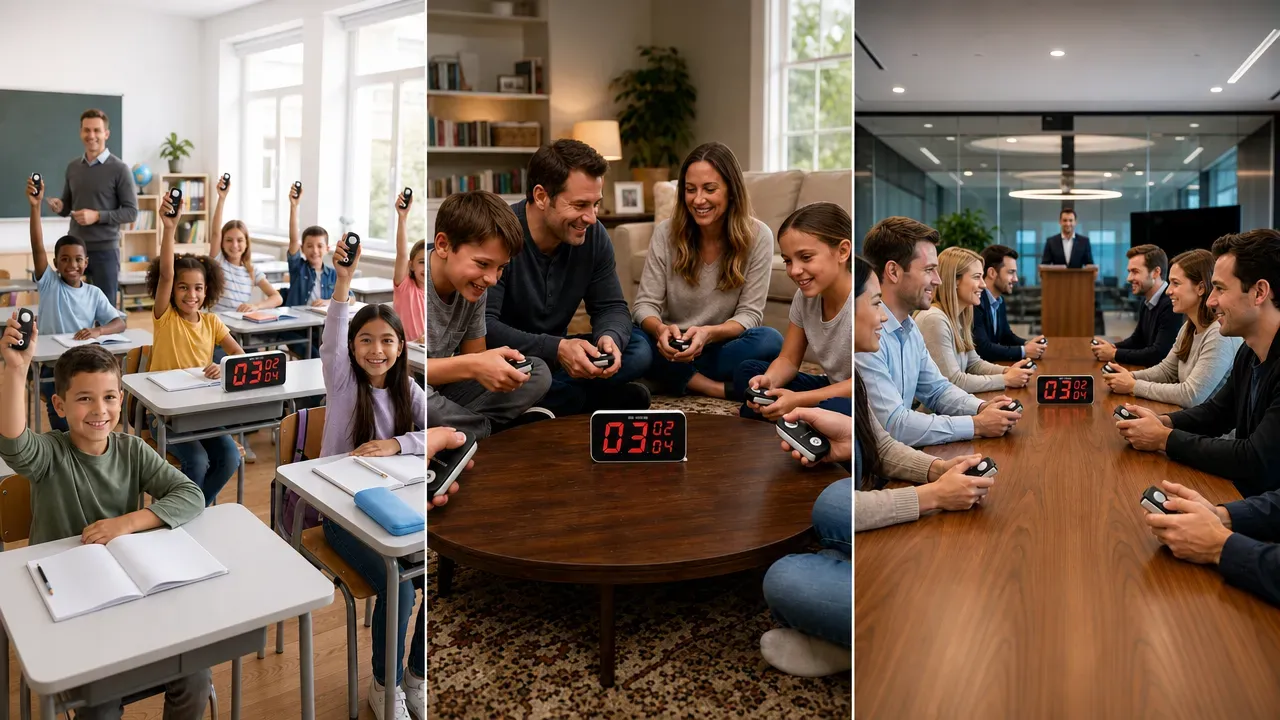
Smart Ways to Use Retekess TM103 Handheld Game Show Buzzers Across Scenarios
- Retekess
- Jul 1, 2026
Uneven classroom participation, quiet family game nights, and team building quizzes slowed by constant disputes — these everyday challenges share a simple fix. The Retekess TM103 handheld wireless quiz buzzer packs multiple game modes and practical functions into one compact system, working seamlessly for K-12 classrooms, home entertainment, and small corporate events.
Unlike basic answer buzzers that only support a single “fastest press” function, the TM103 game show buzzer comes with built-in random draw, countdown rule, and answer carryover features. This guide breaks down actionable ways to use it across three core scenarios, plus quick setup tips to get started in minutes — no technical expertise required.
Quick Start: 3 Basic Operations to Master the Game Show Buzzers
The TM103 is designed for plug-and-play use, with most functions accessible in one or two steps. Master these three basic operations first, and you can flexibly adjust settings for any scenario later.
1. Pairing Buzzers to the Host
One-step pairing for easy, user-friendly operation. To add new buzzers, enter pairing mode on the host and press the button on the new handle; the system completes pairing in seconds, no app or software needed.
2. Volume Adjustment
The host supports multi-level volume control via physical buttons. You can turn up the volume for large classrooms and event spaces, or lower it for quiet home use, with clear sound effects and music prompts for first-place wins.
3. Battery Level Check
Both the host and handheld buzzers have built-in rechargeable lithium batteries. The host display shows remaining power at a glance, and buzzers indicate low battery with a status light. Full charge takes 2.5 hours for each buzzer, supporting 20 hours of standby time for casual use.
Scenario 1: K-12 Classrooms — Build Fair, Engaging Interactive Classroom
For teachers, the biggest value of a quiz buzzer is not just making quizzes fun, but solving real classroom pain points: uneven participation, students rushing to answer, and wasted time managing order. The TM103 addresses all three with targeted functions.
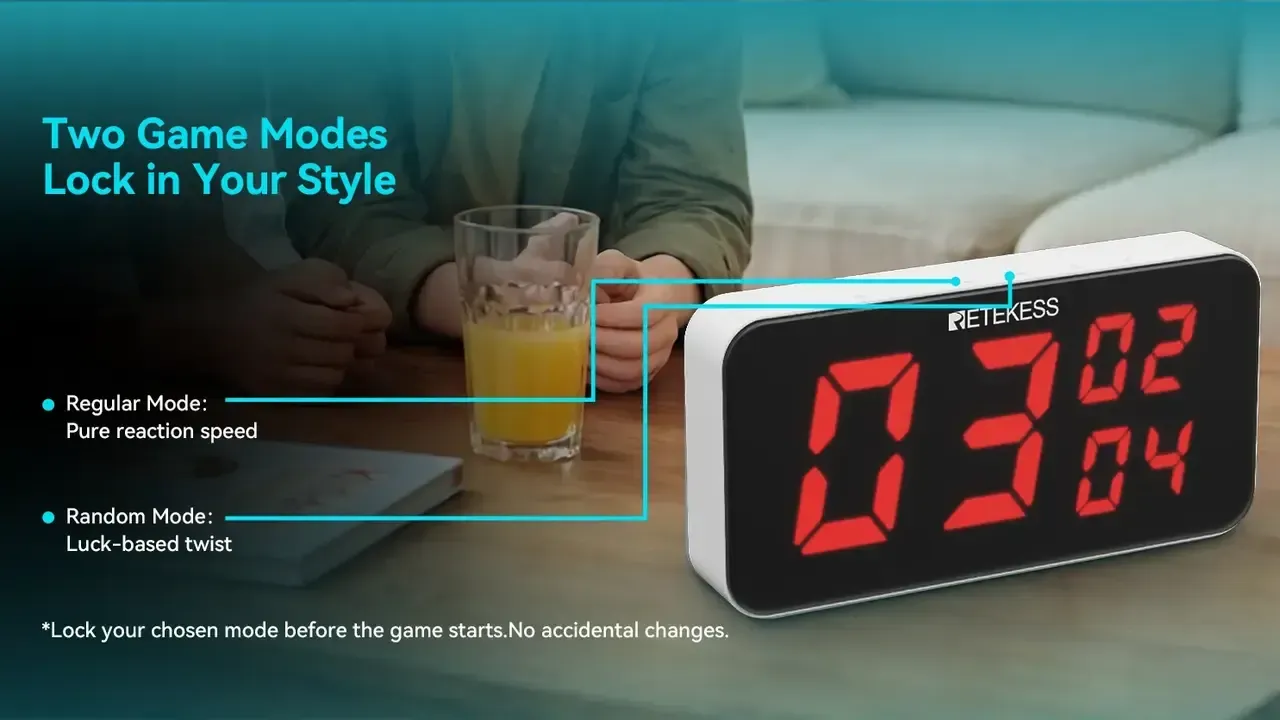
1. Random Draw Mode: Engage Quiet Students Without Bias
Calling on students by hand always favors active participants, while quiet students rarely get a chance to speak. Switch the TM103 to random draw mode, and the system will randomly select a buzzer number when triggered by the teacher.
It eliminates the perception of teacher bias, gives every student equal speaking opportunities, and encourages shy students to prepare more carefully, as they may be selected at any time.
2. Lock & Carryover Function: Prevent Top Students From Dominating
Highly engaged students often press the buzzer first every time, leaving other classmates with no chance to answer. Use the lock function after the first student buzzes in: the system locks the first-place result, and keeps the second and third place rankings visible.
If the first student answers incorrectly, you can directly move to the second-place student to respond. This gives slower-thinking students a fair shot, prevents a small group from dominating the class, and keeps overall participation high.
3. Countdown Rule Mode: Stop Early Buzzing Fouls
Without clear rules, many students press the buzzer before you finish reading the question, disrupting the rhythm of the class. Turn on countdown rule mode: any press before the countdown ends is registered as a foul, triggers a red light on the corresponding buzzer, and locks it out of the round.
The system enforces rules automatically, so teachers don’t need to act as referees. It cultivates good answering habits and keeps classroom quizzes running smoothly.
Scenario 2: Family Gatherings — Unlock New Parent-Child Interactive Fun
Family game nights often fall into a routine. Board games take too long to set up, and video games don’t encourage face-to-face interaction. The lightweight, portable TM103 turns any living room into a game arena in seconds, with flexible rules suitable for all ages.
1. Trivia Quiz Challenge for All Ages
Customize question sets based on your family’s interests — general knowledge for adults, school subjects for kids, or fun family trivia about memories and inside jokes. Use standard buzz mode for fast-paced rounds, with the large digital display showing rankings clearly for everyone to see.
The ergonomic handheld design fits both kids’ and adults’ hands comfortably, and the wireless design means everyone can sit anywhere on the couch or carpet, no crowding around a table required.
2. Scavenger Hunt With Points System
Turn a regular scavenger hunt into a competitive team game. Hide small items around the house, and have players race back to buzz in once they find an item. Each correct find earns one point, and the system tracks rankings round by round.
You can also add penalty rules: wrong answers trigger the countdown foul lock, so players can’t spam the buzzer with guesses. It adds structure and excitement to casual home activities, and keeps kids engaged for hours without screen time.
3. Random Draw Party Games
For relaxed gatherings with friends or extended family, use random draw mode to pick who takes a turn in party games, truth or dare, or snack distribution. It takes the pressure off choosing people manually, adds an element of surprise, and avoids arguments over who goes next.
The compact size makes it easy to store in a drawer when not in use, and the rechargeable battery means no last-minute runs to buy batteries before a family get-together.
Pro Tip: Volume Control for Sleeping Babies. The host unit has three volume levels. Set it to medium for the living room chaos. Drop it to silent after the little ones go to bed — the LED lights alone tell you who buzzed first. The house stays quiet. The competition stays loud.
Bonus Scenario: Small Corporate Team Building — Run a Dispute-Free Quiz Event
For HR and event planners, small knowledge quizzes are a common team building activity, but they often get stuck on order disputes and slow pacing. The TM103 streamlines the whole process with professional-level functions at an entry-level price.
● Carryover answering keeps more people involved: Instead of ending the round after the first buzz, keep the top 3 rankings visible. If the first contestant answers wrong, move directly to second place. More employees get a chance to participate, instead of only the fastest few dominating the game.
● Automatic foul judgment reduces on-site mediation: Turn on countdown rule mode. Early presses before the question is fully read are automatically judged as fouls with a red light alert. The system enforces the rules itself, so the host doesn’t have to mediate arguments and can focus on the event flow.
● Lock function controls event pace: After a correct answer, use the lock function to freeze the ranking, giving time for scorekeeping and transitions between rounds. It keeps the event on schedule and avoids chaos from rushed back-to-back rounds.
Pro Tip: Battery Check Before the Event. Press the BATTERY key on the host. Every paired button reports its charge level. Below 30% triggers a red flash and a five-beep warning. Plug the 1-to-4 cable in two hours before kickoff. You will not lose a question to a dead buzzer.
Which Night Is Yours?
The TM103 is not a device you buy for specs. You buy it for the moment when a room full of people — students, relatives, coworkers — all reach for a button at the same time, and the display settles the question before anyone raises their voice.
For teachers: The 1-host 8-buzzer standard set is the most cost-effective choice, and you can always add extra individual buzzers later as your needs grow.
For families: The 1-to-4 set fits in a drawer. The hard case protects it from drops, spills, and the curious hands of a three-year-old. Charge it once. Play for weeks.
For HR and event leads: The 1-to-8 set is the per-unit value play. At roughly $23.75 per button including the host and case, you are buying a system that replaces the arguments, the manual scorekeeping, and the "I was first" debates with a single green light.
[Shop TM103 1-to-4 Set — $129.99]
[Shop TM103 1-to-8 Set — $189.99]
[Add Extra Buttons (2-Pack) — $39.99]
Questions about your specific setup? Email [email protected] and we will map the right configuration to your scene.
Leave a Reply




![[18th Anniversary] 18 Years of Echoing Excellence: Making Communication Easier, Connecting Trust Beyond Borders](https://res.retekess.com/z_file/20260716/retekess-brand-story-making-communication-easier_20260716151044_7682.jpg)
![[18 Years in Wireless Communication] Silent Disco Systems Anniversary Celebration: Top-Selling Headphones & Event Mechanics Revealed!](https://res.retekess.com/z_file/20260713/18-years-in-wireless-communication-silent-disco-systems-anniversary-celebration_20260713175011_5749.webp)
![[Anniversary Carnival] Ding-dong! 18th Anniversary Mega Sale on Guest Paging & Calling Systems: Full Reveal of 12+ Products & Promo Rules!](https://res.retekess.com/z_file/20260713/18th-anniversary-mega-sale-on-guest-paging-calling-systems_20260713175257_0295.webp)
![[Retekess 18th Anniversary Teaser] Tour Guide System Exclusive Perks: Sneak Peek at Event Dates & Mechanics!](https://res.retekess.com/z_file/20260713/retekess-18th-anniversary-tour-guide-system-exclusive-perks--2-_20260713180135_6435.webp)

Follow Us
Pay With


 Google
 Amazon
Comments (0)