
Table of Contents
SVN A3 All-in-One Conference System: Operating Instructions
- Judy
- Jun 9, 2026
SVN A3 System Installation
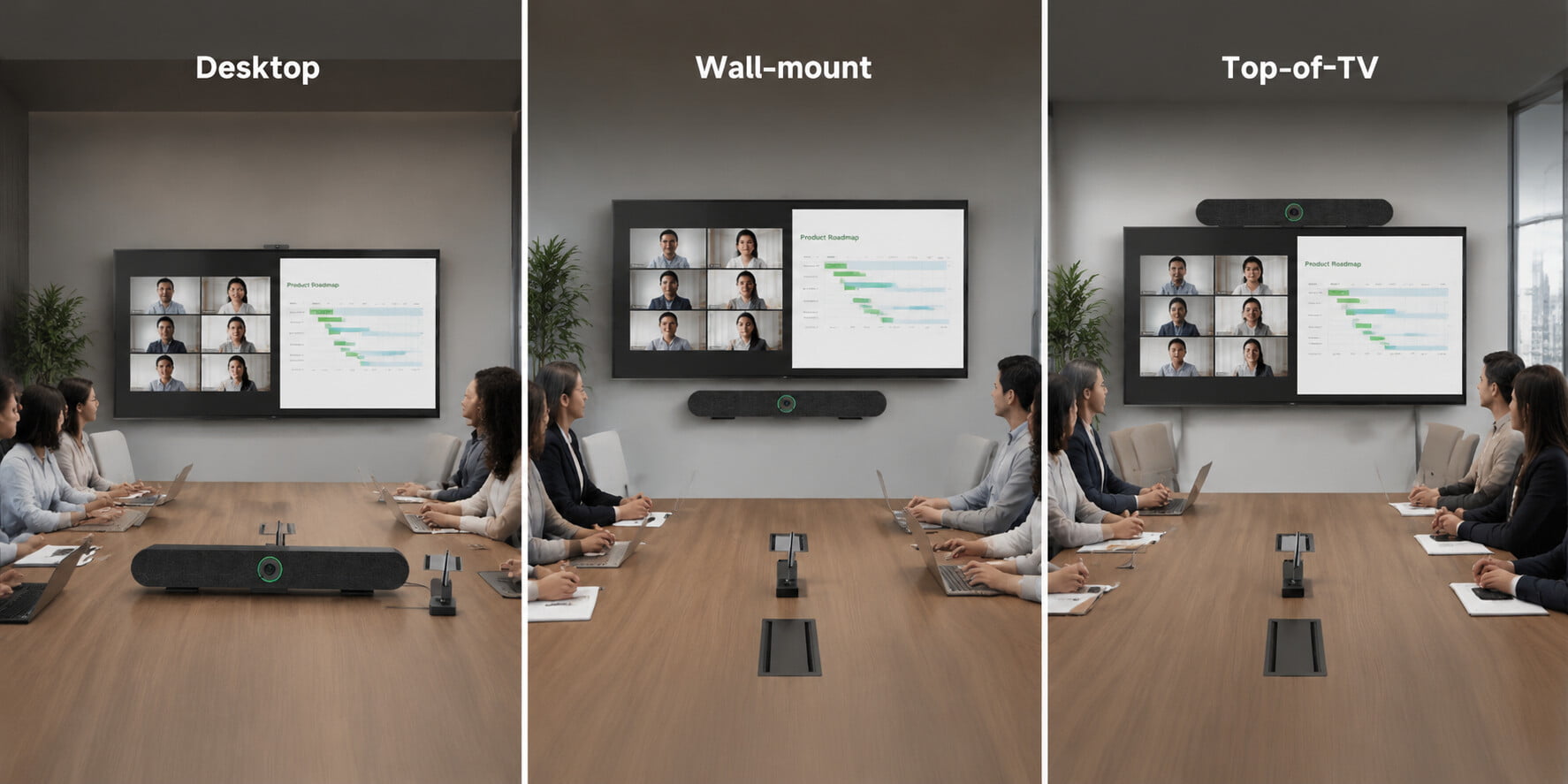
First, mount the bracket strips (with screw holes) to the back of the TV. Connect the all-in-one camera unit to the dock's USB port using the USB cable, then connect the display device to the dock's HDMI port using the included 2-meter HDMI cable. Finally, connect your computer to the dock's input port using the 2-meter screen projection cable. (Connecting the PD 100W port to a power source allows the dock to power the computer.) Then, select the corresponding HDMI input source on the TV to receive the signal from the PC or conference host unit.
Camera Indicator Light Meanings
Green: Device is in standby mode.
Blue: Camera (with privacy cover) is active and running.
Red: Mute function active; the light turns red when the microphone is muted.
White: Device successfully connected to a wireless external microphone.
Camera Preset Settings
The SVN A3 supports three preset positions. Adjust the camera view to the desired position, then press and hold the "1" button for 2 seconds to save it as Preset 1. Repeat this process for buttons "2" and "3". Pressing the same button again will overwrite the previous preset with the new one.
Wireless Extension Microphone Settings
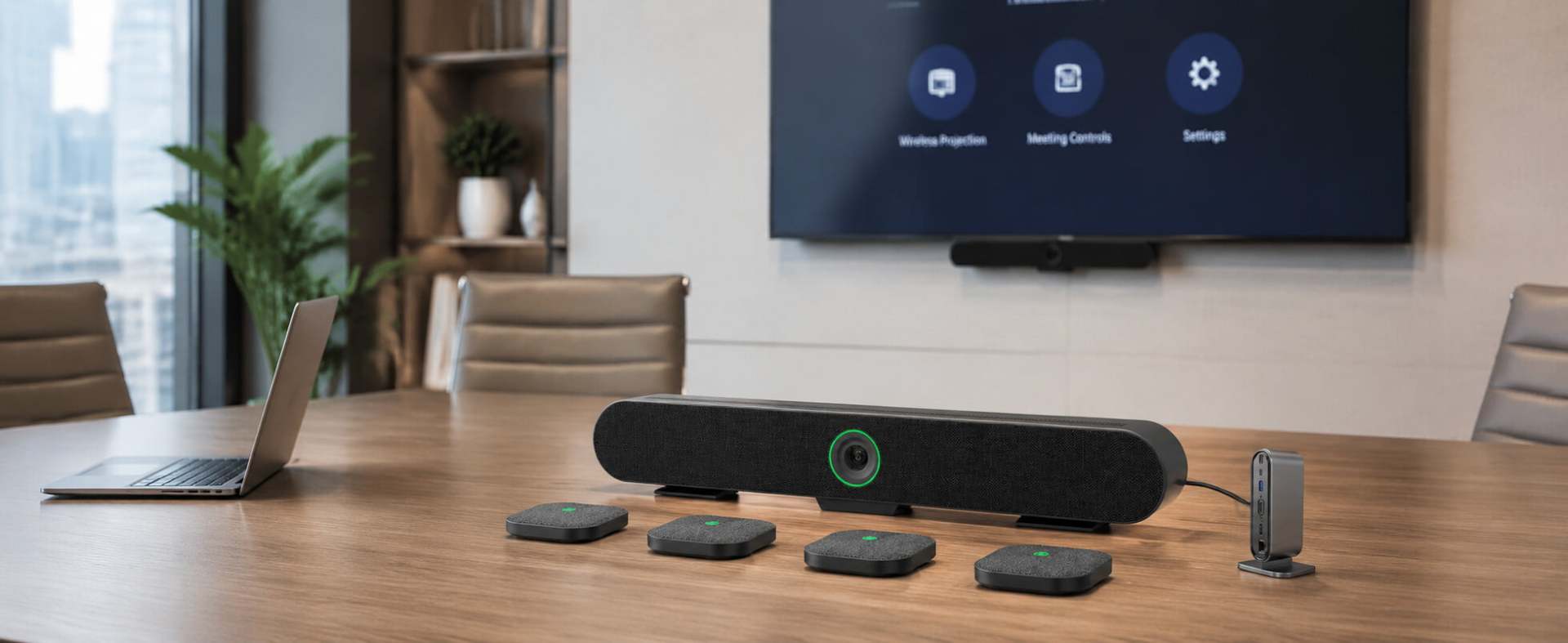
Power On/Off: Press and hold the extension microphone button for 2 seconds to turn the power on or off. If the external microphone is not connected to the host unit, it will automatically power off after 5 minutes; if connected, the microphone and host unit will power off simultaneously.
Pairing: With the microphone powered on and the main unit connected to power, press and hold the mute button for approximately 6 seconds to enter pairing mode; the microphone indicator will flash white. Press the "+" and "-" buttons on the remote control in sequence; the video bar's indicator will turn into a solid green circle, indicating it has entered pairing mode. Once successfully paired, the indicator lights on both devices will stop flashing and remain steadily lit. (This procedure is required only during initial use or after a firmware upgrade.)
Charging: The expansion microphone cannot be used while charging, even if connected to the main unit.
Indicator lights:
Flashing orange — Charging
Solid orange — Low battery
Solid green — Fully charged
Flashing white — Microphone not paired
Leave a Reply


![[18th Anniversary] 18 Years of Echoing Excellence: Making Communication Easier, Connecting Trust Beyond Borders](https://res.retekess.com/z_file/20260716/retekess-brand-story-making-communication-easier_20260716151044_7682.jpg)
![[18 Years in Wireless Communication] Silent Disco Systems Anniversary Celebration: Top-Selling Headphones & Event Mechanics Revealed!](https://res.retekess.com/z_file/20260713/18-years-in-wireless-communication-silent-disco-systems-anniversary-celebration_20260713175011_5749.webp)
![[Anniversary Carnival] Ding-dong! 18th Anniversary Mega Sale on Guest Paging & Calling Systems: Full Reveal of 12+ Products & Promo Rules!](https://res.retekess.com/z_file/20260713/18th-anniversary-mega-sale-on-guest-paging-calling-systems_20260713175257_0295.webp)
![[Retekess 18th Anniversary Teaser] Tour Guide System Exclusive Perks: Sneak Peek at Event Dates & Mechanics!](https://res.retekess.com/z_file/20260713/retekess-18th-anniversary-tour-guide-system-exclusive-perks--2-_20260713180135_6435.webp)
Follow Us
Pay With


 Google
 Amazon
Comments (0)